
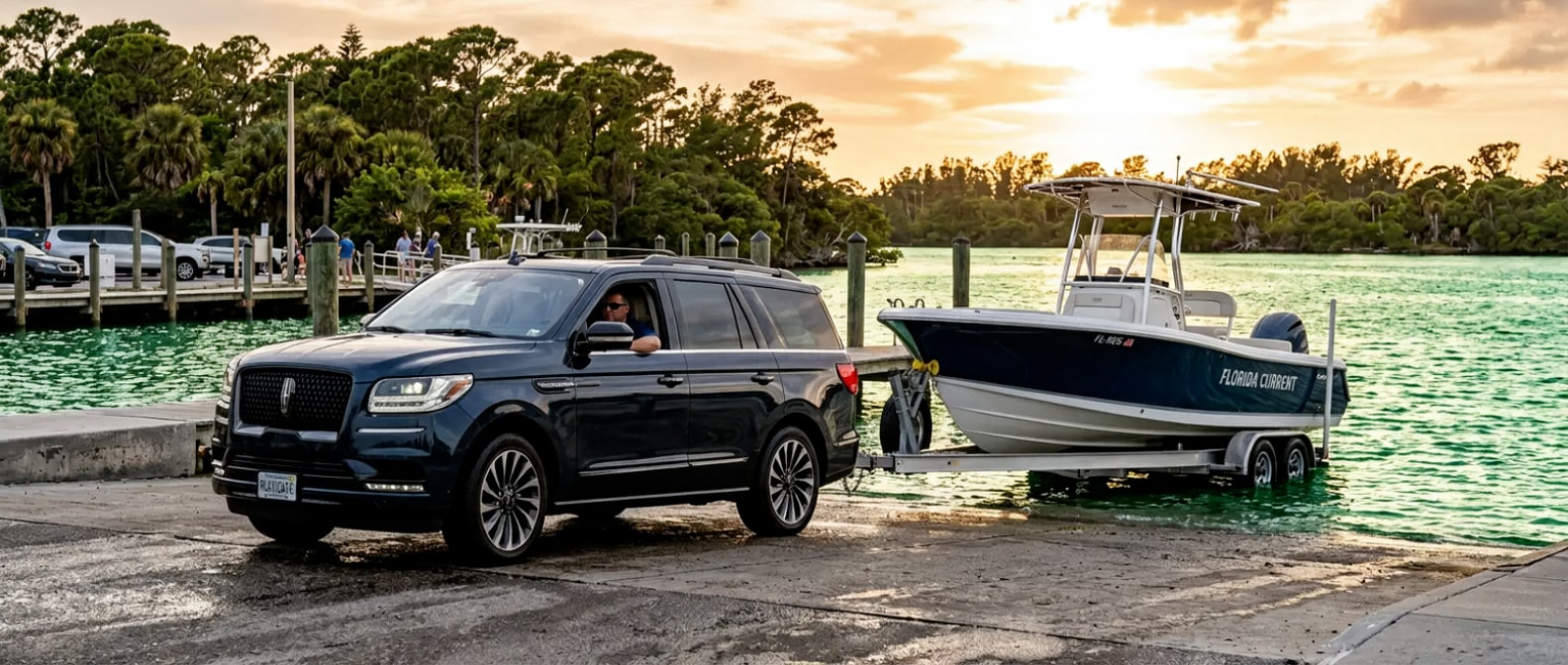
The boat's on the trailer, the kids want to know if we're leaving yet, and the cooler is still sitting in the garage. Getting from Lynn Haven to the water at St. Andrews State Park with a full family and a boat in tow isn't complicated, but it rewards a little thought about how you configure the Navigator before you pull out of the driveway. Do it right and the trip runs quiet and unhurried. Do it last-minute and you're rearranging coolers in a full parking lot.
Run it in this order: seat positioning, cargo staging, trailer connection, and a quick tow-mode check before you back out.
The 2027 Lincoln Navigator is built for exactly this kind of day. Let's walk through it.
What Do You Need Before You Leave Lynn Haven?
Before you leave Lynn Haven you need two things and neither is a tool, just a few minutes of attention and a clear sense of which version of this trip you're running today, because a ferry-access day and a full boat-tow day ask different things of the cabin and the hitch. The table below maps the common Shell Island scenarios to the Navigator specs that matter for each.
| Trip Profile | Rows Needed | Cargo Goal | Tow Rating That Applies |
|---|---|---|---|
| Two adults, no trailer, ferry access | Row 1 + Row 2 | Up to 107 cu ft (all rows folded) | N/A |
| Family of 4-6, no trailer | All 3 rows | 22.9 cu ft behind Row 3 | N/A |
| Full family + boat trailer, 4WD, 22-in wheels | All 3 rows | Stage gear in Row 2 footwells | Up to 8,700 lbs (HD Tow Package) |
| Full family + boat trailer, 4WD, 24-in wheels | All 3 rows | Same staging | Up to 8,500 lbs (HD Tow Package) |
| Two adults + gear, Navigator L | Row 1 + Row 2 folded | Up to 121.6 cu ft max cargo | Up to 8,700 lbs (HD Tow Package, 4WD, 22-in) |
Lincoln publishes those towing figures for a properly equipped vehicle with the Heavy-Duty Trailer Tow Package. If you're not sure whether your Navigator has that package, the Trailer Tow screen in the Lincoln Digital Experience on the 48-inch panoramic display will confirm it at startup.
EPA-estimated fuel economy is 15 city / 22 highway / 17 combined MPG with the 4WD configuration. Expect the city figure to soften a bit more when you're towing on the surface roads through Panama City. Worth knowing before you decide whether to top off on US-231 before you head south.
The Navigator L adds 11.9 inches of overall length and 14.5 additional cubic feet of cargo room behind the third row. That extra space matters if you're packing for a full weekend rather than a day run.
Setting Up the Navigator for the Drive Down US-98
The setup below is the spine of the boat-tow day, and it's worth working through in the driveway rather than the crowded launch lot, because each step feeds the next one and doubling back with a trailer already hitched is where the morning goes sideways. Work through them in sequence and the run takes about ten minutes. Skip around and you'll pay for it.
Step 1: Settle your passenger configuration first.
Decide now who sits where. Three rows give you seating for up to eight, but a full-capacity day with a trailer on the back means weight distribution matters. Adults ride in rows one and two. If kids are in row three, keep the heavier gear down in the cargo bay and off the seats.
Step 2: Use the PowerFold button to drop any rows you don't need.
The Navigator's second and third rows both fold flat via a cargo-area button (you don't need to crawl in and wrestle a seat down manually). If you're running a smaller crew, fold row three from that button, stage the cooler and dry bags directly behind row two, and leave yourself a clear sightline through the rear window. A clean sightline matters when you're backing a trailer.
Step 3: Stage beach gear in the cargo bay before you hitch.
Coolers go in last, flat against the Split Gate. Soft bags and beach chairs first, hardest and heaviest items nearest the Split Gate lower section. Browse current Navigator inventory to see which configurations are in stock with the Split Gate standard (it comes on every 2027 trim). The lower portion of the Split Gate acts as a ledge for staging gear while you load, which is genuinely useful on an early morning with one hand holding a cup of coffee.
Step 4: Connect the trailer and verify the trailer brake controller.
The Heavy-Duty Trailer Tow Package includes a factory trailer brake controller. Before you leave the driveway, pull up the Trailer Tow screen on the Lincoln Digital Experience and confirm the controller is detecting your trailer's brakes. This takes thirty seconds and removes any question about brake function before you're on the Hathaway Bridge with a 5,000-pound boat on the back.
Explore financing options if you're still deciding between the standard Navigator and the Navigator L for your towing needs. Our team can walk you through how each configuration fits a boat-and-family setup.
Step 5: Check tire pressure on both the Navigator and the trailer.
At just under 5,929 pounds of curb weight on a 122.5-inch wheelbase, the 2027 Navigator is heavy before you add a single passenger or bag. Add a loaded boat trailer and the aggregate weight on your tires is substantial. A cold morning in Lynn Haven is exactly the right time to check. Tire pressure reads truest before the sun heats the asphalt.
Step 6: Set drive mode before you merge onto US-98.
Under the hood, the Navigator carries a 3.5-liter twin-turbo V6 rated at 440 horsepower and 510 lb-ft of torque. Normal mode handles the surface roads fine. If you have the HD Tow Package, Slow Climb mode is available for low-speed boat launch ramp situations. Set it before you need it, not while you're already on the ramp.
Step 7: Activate BlueCruise on the appropriate highway stretch.
Once you're on a mapped highway-divided segment, BlueCruise handles hands-free highway driving (an aid that still needs your attention). It won't engage with a trailer above certain weight thresholds, so confirm your setup in the driver profile before the run. US-98 between Lynn Haven and the St. Andrews State Park turnoff on Thomas Drive is about a 15-minute drive. Not long, but composed.
Step 8: At St. Andrews State Park, use the aerial view camera for the ramp.
The 48-inch panoramic display supports an aerial (surround) view camera system that's genuinely useful on a narrow state park boat ramp with other rigs waiting behind you. Slow Climb mode keeps you controlled on the grade. The park's boat launch provides access to St. Andrews Bay, the St. Andrews Pass, and the waters that connect to Shell Island. You'll be on the water in minutes once the trailer is in.
Your Print-and-Go Checklist for the Shell Island Run
Run through this list in the driveway before you tow, where you've got room and a level surface and nobody waiting on you, because the ramp at St. Andrews is exactly the wrong place to find out row two still needs to fold or a trailer brake isn't reading. Everything on it takes place at home.
- Seat configuration set and locked
- Row folds confirmed (PowerFold button, not manual)
- Cargo staged (heavy items loaded before hitching)
- Trailer connected, brake controller verified on Lincoln Digital Experience screen
- Tire pressure checked on Navigator and trailer (cold, before sun-up if possible)
- Drive mode noted; Slow Climb confirmed available if you have the HD Tow Package
- BlueCruise compatibility verified for your trailer weight
- Aerial view camera confirmed active for ramp use at St. Andrews State Park
Nothing on that list requires a shop visit or a tool, and the fifteen minutes of attention it asks for is what makes the rest of the day feel effortless.
The Navigator is a big vehicle, and on a narrow ramp with other rigs waiting behind you that is a genuine hassle. At 210 inches long and 94.6 inches wide including mirrors, it commands space in a parking lot and asks for deliberate reversing at the water. The size buys you the interior room and the tow rating, and it stops being a surprise the moment you know to expect it.
By the Bay Lincoln Team | September 2026
Frequently Asked Questions
Does the 2027 Lincoln Navigator have a trailer brake controller built in?
Yes, the trailer brake controller is included as part of the available Heavy-Duty Trailer Tow Package. With that package on a 4WD model with 22-inch wheels, the Navigator is rated to tow up to 8,700 pounds. Confirm the controller is detecting your trailer before you leave home using the Trailer Tow screen on the 48-inch Lincoln Digital Experience display.
Can you fold the Navigator's second and third rows from outside the vehicle?
Both rows fold flat via a button in the cargo area (you don't need to reach into the cabin manually). The button setup is standard on the 2027 Navigator. The Navigator L adds an extra 14.5 cubic feet of cargo space behind the third row and is 11.9 inches longer overall, which makes a meaningful difference when you're staging gear for a full-family day trip.