
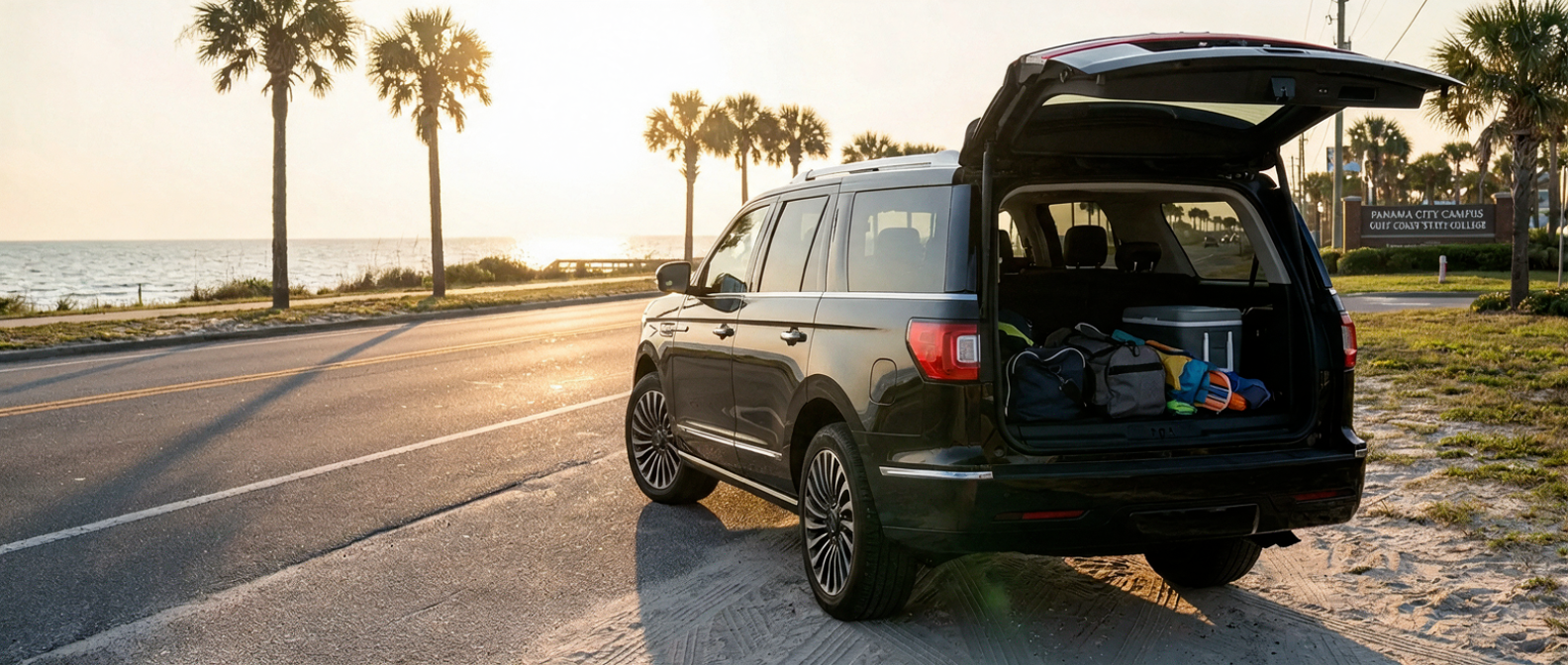
The drive is easy. What trips people up is the chaos before it, when you've got a student, their gear, maybe a sibling or two in the back, and a Navigator L that can swallow all of it without a single bag riding on someone's lap. Do the setup right and none of that becomes a problem.
The 2026 Lincoln Navigator L carries 36.1 cubic feet of cargo space behind the third row with every seat occupied. That works out to 14.5 cubic feet more than the standard Navigator. On a US-98 run from Bay County to Gulf Coast State College's main campus at 5230 W. Hwy 98, that gap is the difference between a composed cabin and a cluttered one.
Here's the short answer. Configure the L in a specific seat and cargo order, use the Split Gate to load without letting anything escape, and you'll pull into GCSC looking like you planned it.
What You'll Need Before You Start
Before anyone touches a bag, do a quick inventory of who's riding and what's coming along, because the entire setup sequence hinges on your passenger count and how much gear you're hauling, and those two numbers decide every choice that follows. Get that count wrong and you'll be refolding seats at the curb.
| What to confirm | Why it matters |
|---|---|
| Passenger count (rows 2 and 3 occupied?) | Determines whether you fold row 3 or leave it up |
| Gear volume (bags, boxes, equipment) | Sets the cargo split you'll use |
| Split Gate mode needed (top only, or full open) | Prevents items from rolling out on load |
| Cargo Tailgate Manager position | Shelf, seatback, or table. Choose before loading |
| PowerFold seat controls (reserve vs row 3) | Fold third row from the cargo area button, not from inside |
A fair question before any trip like this is fuel. The EPA rates the 2026 Navigator L at 15 city / 22 highway / 17 combined. Fifteen in the city is thirsty, and there's no dressing that up. But the GCSC campus is basically a highway shot down US-98, so this run plays to the Navigator's better number, and the 27-gallon tank means a round trip from anywhere in Bay County barely registers.
Loading the Navigator L for a GCSC Trip
Loading in the right order is what separates a five-minute job from a frustrating repack at the curb, so run these seven steps top to bottom and the cargo area does the work for you. Skip around and you'll pay for it later.
Step 1: Decide row three's position first. With passengers in all three rows, leave the third-row bench up. The PowerFold third-row bench on the 2026 Navigator L works from controls back at the cargo area, so there's no reaching over a seatback to wrestle it down. If row three rides empty, fold it flat from those same cargo-area controls and you'll open up a combined 75.4 cubic feet of flat floor behind row two.
Step 2: Stage your gear before you open the gate. Set the bags on the ground beside the vehicle, heaviest items closest to the rear bumper, soft duffels staged to go in last and ride on top. The reason is depth. That cargo floor runs deep, and 36.1 cubic feet behind the third row is roughly the volume of a large chest freezer. Drop things in with no plan and you'll be digging for the one bag you need once you reach campus.
Step 3: Use the Split Gate the right way. The Lincoln Split Gate is class-exclusive, and it's the feature that makes this whole process easy. The upper three-quarters lifts like a conventional liftgate, while the lower quarter folds down flat on a 600-pound rating to create a waist-height loading surface. Open just the upper section first. The lower portion stays up as a barrier, which keeps anything already loaded from sliding out while you work. Then slide the heavy pieces in.
Step 4: Load heaviest items to the cargo floor, lightest on top. On highway stretches like US-98, the L's extended wheelbase (131.5 inches against the standard Navigator's 122.5) makes the ride measurably more planted. Keep the heavier bags low and forward in the cargo area and that stability keeps doing its job.
Step 5: Set the Cargo Tailgate Manager before closing. For smaller loose items like chargers, a backpack, and snacks, the available Cargo Tailgate Manager positions as a cargo shelf to keep them separated from the main load. Its table configuration holds up to 35 pounds. For a GCSC move-in or a gear-heavy visit, that's the small touch that keeps the trip from turning into a jumble by the second exit.
Step 6: Close the Split Gate in reverse sequence. Raise the lower section first, then close the upper liftgate. When your hands are full, the Open on Approach feature earns its keep, triggering the upper gate automatically if your key fob or paired phone is within range at the rear bumper.
Step 7: Seat your passengers and adjust before you move. On the Reserve trim, the second row comes with 24-way Power Tailored seats, and upper trims add heated, power-reclining seats for third-row passengers. Dial in everyone's position before you pull onto US-98. The run to GCSC is a clean highway shot. No reason it shouldn't feel exactly like that.
View Current Navigator L Offers
Quick-Reference Setup Recap
Keep this recap handy before every trip, because the seven steps above collapse into a short checklist you can run in a minute, whether you're loading solo in the driveway or handing the keys to whoever drew the GCSC run this week. Pin it, print it, or text it to the driver.
| Step | Action | Key spec or feature |
|---|---|---|
| 1 | Decide row 3 position | Fold flat or leave up; controls at cargo area |
| 2 | Stage bags beside the vehicle | 36.1 cu ft behind row 3 (all seats occupied) |
| 3 | Split Gate upper section first | Barrier prevents cargo from sliding out |
| 4 | Load heavy to floor, light on top | 131.5-in wheelbase keeps the L stable at highway speeds |
| 5 | Set Cargo Tailgate Manager | Shelf mode for loose items (35 lb table capacity) |
| 6 | Close lower gate, then upper | Open on Approach activates within key fob range |
| 7 | Seat and adjust passengers | 24-way Perfect Position (Reserve); heated third row available |
The Navigator L's 121.6 cubic feet of maximum cargo space with all seats down is the headline number, the one that sells the brochure. In practice, the figure that earns its keep is 36.1 cubic feet behind the third row, because that's the setup you actually run when the seats are full and the bags still have to fit.
See our current Navigator L inventory
Frequently Asked Questions
How much cargo space does the 2026 Lincoln Navigator L have behind the third row?
Lincoln lists the 2026 Navigator L at 36.1 cubic feet behind the third row with all seats in place. That compares to 21.6 cubic feet in the standard-wheelbase Navigator. The maximum cargo volume with all rear seats folded is 121.6 cubic feet.
What is the Lincoln Split Gate and how do I use it?
The Split Gate divides the Navigator's rear opening into two independently operating sections. The upper three-quarters rises like a traditional liftgate; the lower quarter folds down like a pickup tailgate, creating a 600-pound-rated flat surface at bumper height. Open the top section first to keep cargo contained, then lower the bottom for loading. The Open on Approach feature can trigger the upper gate automatically when your key fob or paired phone is detected behind the vehicle.